Two independent loops
OpenCV captures the camera and MediaPipe tracks hands. ComfyUI prepares styled frames separately, before a gesture is even present.
A gesture-controlled local AI camera
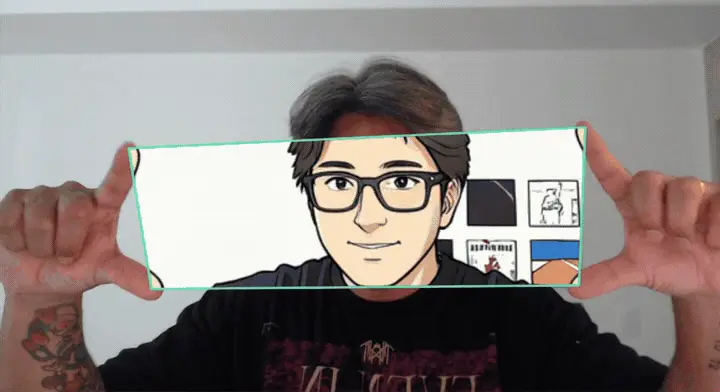
Your hands open a window into an AI-styled scene. Everything outside the frame stays real.
Actual prototype recording. Camera and hands stay live; AI images update asynchronously.
Two L-shaped hands define a tilted, movable frame. Open it, move it, let go. No button between you and the reveal.
Under the hood
The model sees the whole camera image. Your hands only change the mask, so moving the portal never changes the model’s context.
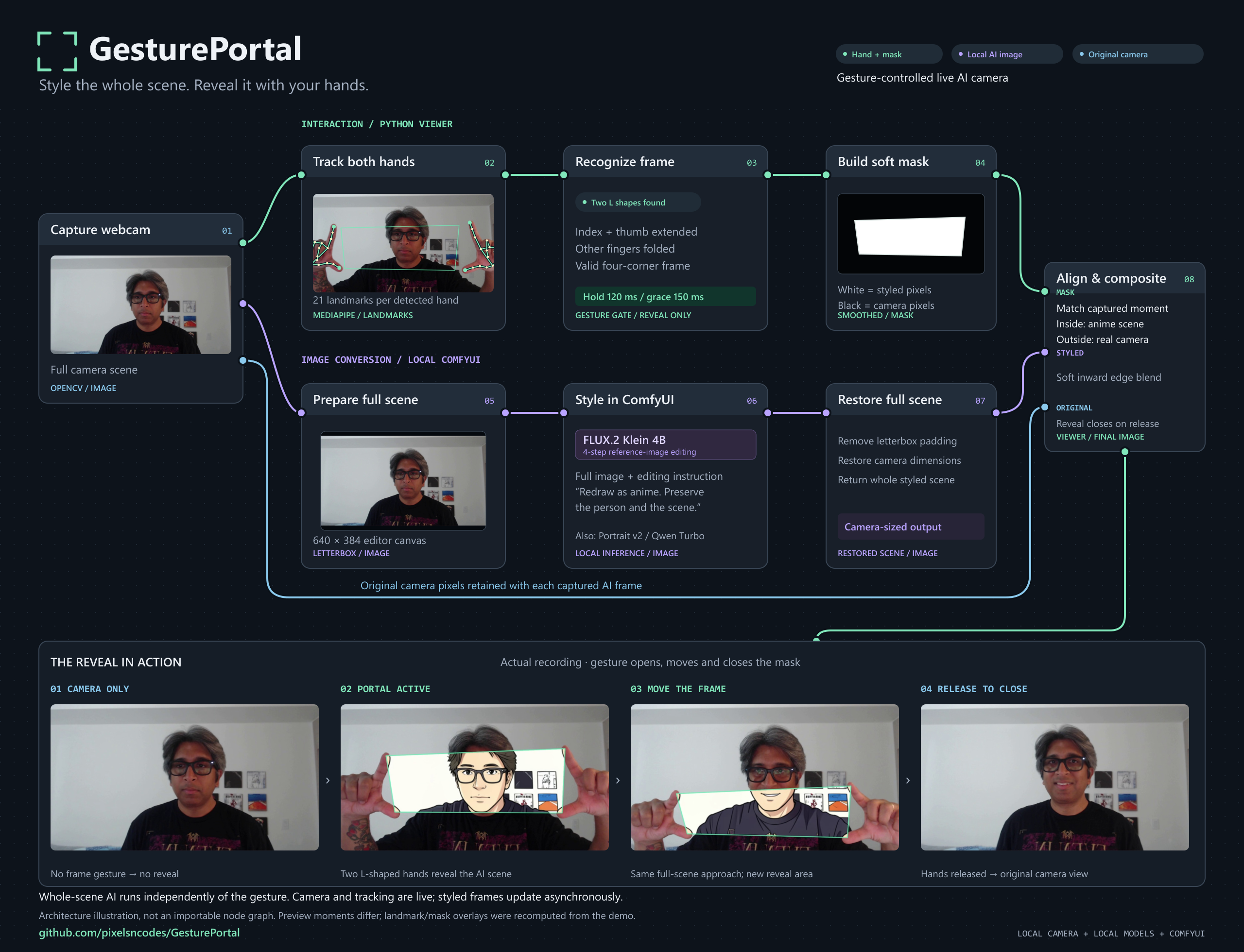
OpenCV captures the camera and MediaPipe tracks hands. ComfyUI prepares styled frames separately, before a gesture is even present.
One AI job runs while one pending frame waits. Newer frames replace the waiting one; settings changes invalidate obsolete results.
Off keeps the camera and mask live. Exact pairs the camera, gesture, and AI result from one capture, with visible generation delay.
Images travel through memory on loopback. No remote inference service or API key. Saving a snapshot or recording is an explicit action.
Anime, doodle, painted 3D, X-ray, paper, clay, glass, blueprint, and pixel art. Prompt presets share the same reference editor.
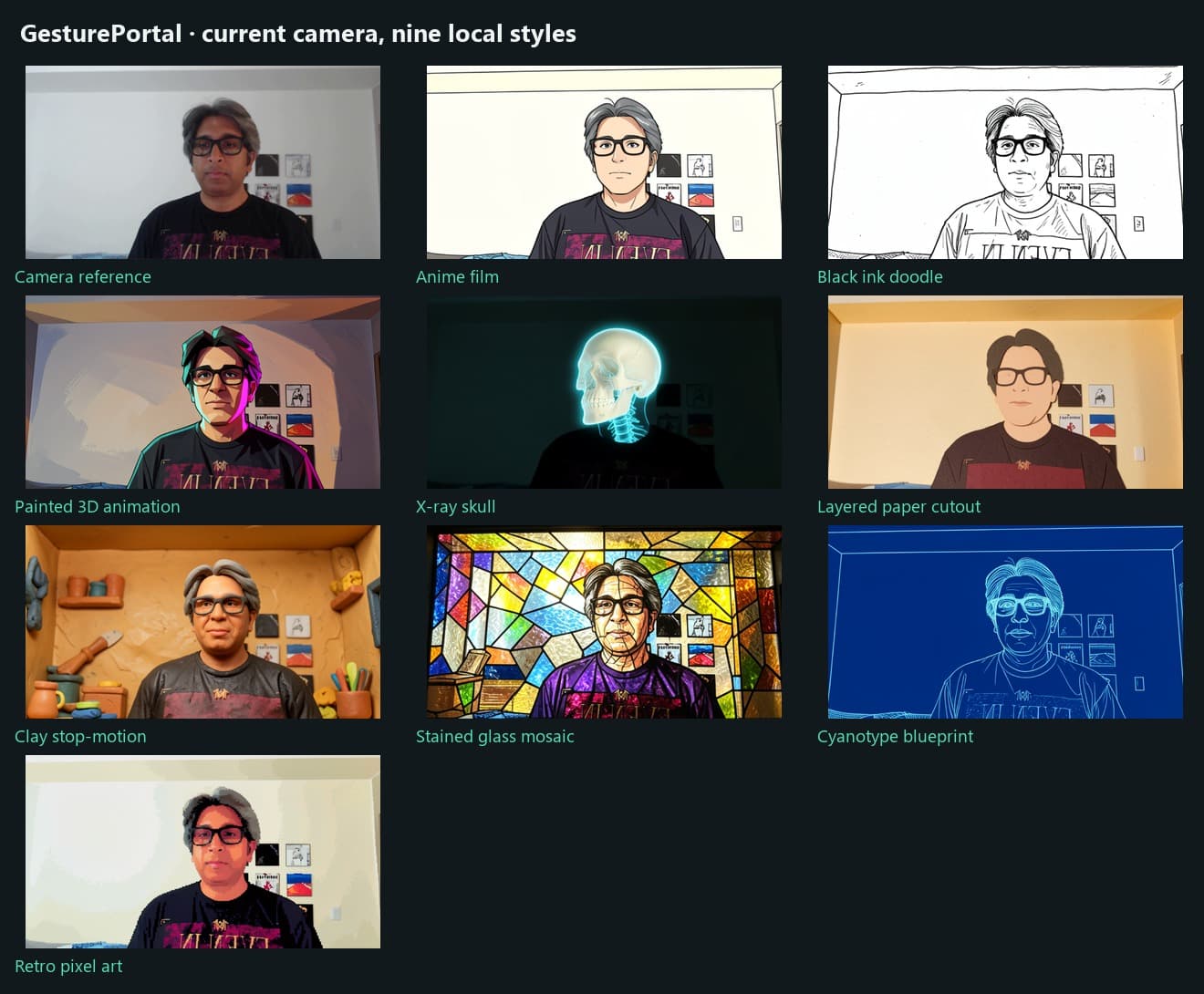
The camera can move faster than the image editor. Each model trades generation speed for a different rendering approach.
The default editor. It uses the full camera image as a reference plus your editing instruction, with a distilled four-step workflow.
Apache-2.0 model weightsRepository measurements on a Core i9, RTX 5070 Ti with 16 GB VRAM, and 32 GB RAM. Warm round trips include image transport and encoding, with only one to three repeats. Cold loading and model switches can take tens of seconds.
Faces, colors, and scene details can drift. Fixed seeds do not remove flicker: these are image editors, not models trained for temporal consistency. The displayed recording rate is not the AI generation rate.
From concept to desktop
A full desktop for exploring, a compact widget for keeping the portal nearby. Compare the implemented app with the original design concepts.
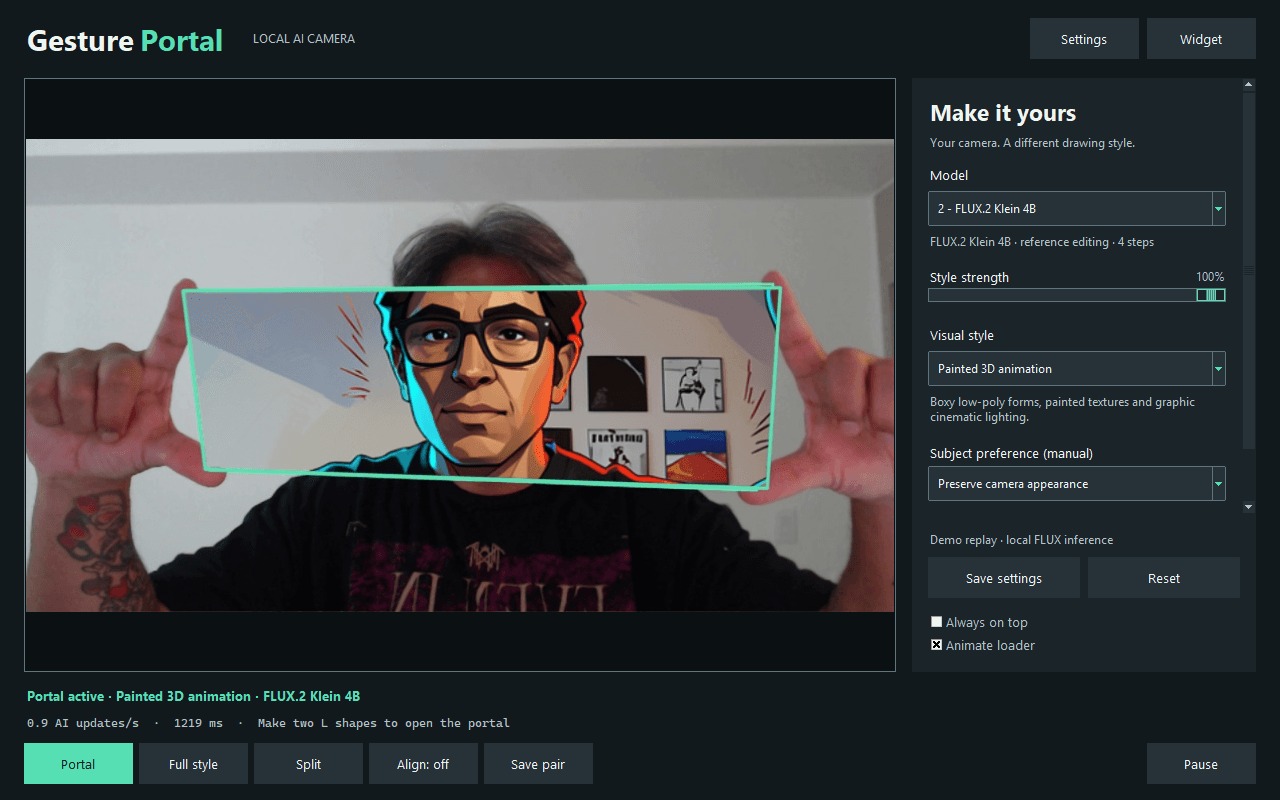
I built GesturePortal through hands-on webcam testing and iteration with OpenAI Codex. My role was to direct the interaction, judge the results, and decide what was worth keeping.
Read the development storyThe first version converted the crop inside the hand frame. Moving the hands changed the input and destabilized scene proportions. Styling the full frame first made the gesture independent of the model’s context.
Early DCT, SD 1.5, and Portrait experiments looked less convincing in webcam tests. The current build uses native FLUX and Qwen reference editors. No foundation model was trained for this project.
Moving the desktop UI into its own process separated its event loop from capture and inference. Bounded frame queues and configuration revisions prevent backlogs and old-model results after a switch.
Checks cover gesture geometry, pixels outside the mask, scene restoration, matched frame dimensions, and worker behavior. Live visual feedback also led to retiring distorted optical-flow alignment. Passing checks does not guarantee image quality.
Start with Windows, Python 3.12, a webcam, and your own compatible ComfyUI installation. The tested configuration uses a 16 GB NVIDIA GPU.
FLUX is the default. Qwen requires an explicit opt-in for non-commercial research and evaluation. Model weights download separately.
No. The page shows recordings and screenshots. GesturePortal itself runs locally on Windows after you install it.
Tracking and image generation run at different speeds. With alignment Off, the current mask reveals the latest completed AI image. Exact alignment uses one matched capture and follows the slower AI update rate.
The Concept views are AI-generated presentation artwork. The Implemented views are actual Tk app captures from local replay tests. The hero and gesture sequence come from the original working prototype recording.
The running application exchanges images locally through loopback memory endpoints. Setup downloads model weights. Explicit captures and recordings save locally; ComfyUI may also write its own logs and metadata.
They were retired after visual testing. The current selection is FLUX or Qwen, with Off or Exact alignment. Earlier artwork and recordings still document the project’s development.
Model terms differ. FLUX.2 Klein 4B uses Apache-2.0; the Qwen/Viggle preset is offered as an explicit research/evaluation opt-in. Read the component licenses before choosing a model for your use.